Ameri-king TS-451 Manual do Utilizador Página 146

  • Descarregar
  • Adicionar aos meus manuais
  • Imprimir
  • Página
    / 148
  • Índice
  • MARCADORES
  • Avaliado. / 5. Com base em avaliações de clientes
Vista de página 145
AMERI-KING CORPORATION
17881 Sampson Lane, Huntington Beach, CA 92648 - Tel (714) 842-8555 - Fax (714) 842-4235 - Email: am[email protected]
146
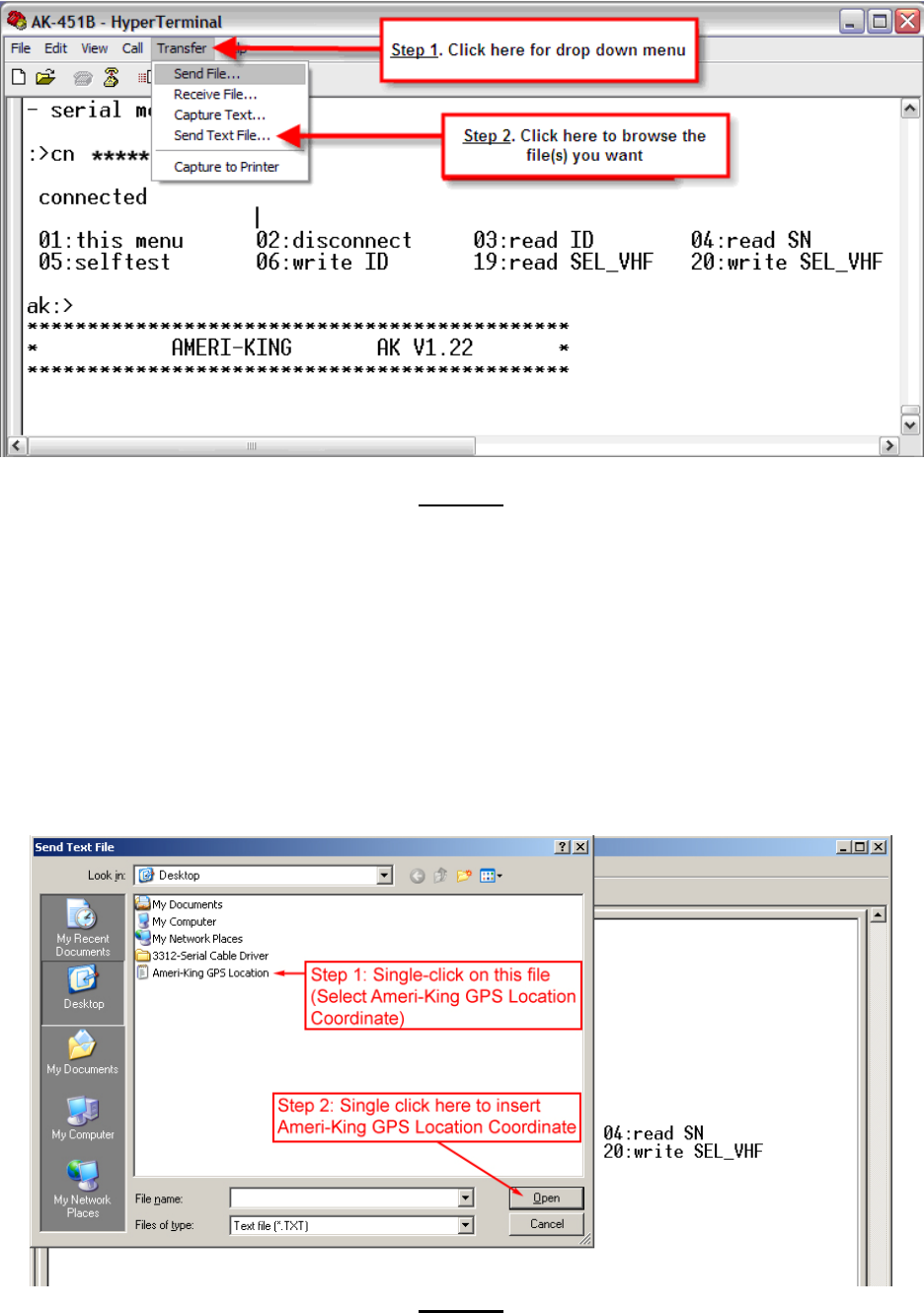
Figure 8
Inserting Ameri-King GPS Location Coordinate (See Figure 9)
1. Single-Click on “Ameri-King GPS Location” (The file contains the coordinate of
Ameri-King GPS Location.)
2. Set the switch of the ELT to “ON” position.
3. Single-Click on “Open” button to insert the coordinate of Ameri-King GPS Location
to the ELT.
4. DO NOT turn the ELT off. Wait for 50 seconds and you will receive 30 Hex digits
(Ignore the first 6 digits) coming from the ELT that contains the coordinate of the
Ameri-King GPS Location (See Figure 10). Use the 406MHz Decode Program to
verify the coordinate input.
Figure 9
Vista de página 145
1 2 ... 141 142 143 144 145 146 147 148

Comentários a estes Manuais

Sem comentários