Ameri-king АК-451-Series Manual do Utilizador Página 14

  • Descarregar
  • Adicionar aos meus manuais
  • Imprimir
  • Página
    / 23
  • Índice
  • MARCADORES
  • Avaliado. / 5. Com base em avaliações de clientes
Vista de página 13
27
by a rapid reversing action. Verify that the ELT has been activated by use of the
Wattmeter, the Airplane’s VHF Radio Communications Receiver when tuned to
121.5 MHz, or other means (see Note 1). The ELT must then be reset by pressing
either the RESET push button located on the ELT main unit or the ELT Remote
Unit.
Note 1
:
This is not a measured check. It only indicates that the G-Switch is working.
3.1.7.2 Antenna Check: A low quality AM Broadcast Radio Receiver should be
used to determine if energy is being transmitted from the Antenna. When the
Antenna of this Radio (tuning dial on any setting) is held about 6 inches from the
activated ELT Antenna, the ELT Aural tone will be heard (see notes 2 and 3). The
ELT must be reset by pressing either the RESET push button located on the ELT
Main unit or the ELT Remote Unit.
Note 2:
This is not a measured check, but it does provide confidence that the Antenna is
radiating with sufficient power to aid search and rescue. The Aircraft’s VHF
Receiver, tuned to 121.5 MHz, may also be used. This Receiver however is more
sensitive and could pick up a weak signal even if the radiating ELT’s Antenna is
disconnected. Thus, it does not check the integrity of the ELT System or provide the
same level of confidence as does an AM Radio.
Note 3:
Because the ELT radiates on the emergency frequency, the Federal Communications
Commission allows these tests to be conducted only within the first 5 minutes after
any hour and limits the tests to 3 sweeps of the Transmitter Audio Modulation.
IMPORTANT NOTE:
IN NORMAL CONFIGURATION, THE MAIN SWITCH, LOCATED ON THE
ELT MAIN UNIT, MUST BE SELECTED AT “ARM” POSITION AT ALL TIMES.
3.1.8
Verification of Digital Message
Note:
This test is not mandatory per FAR 91.207(d) however Ameri-King strongly
recommends that it be performed as part of periodic maintenance, at least every
year.
Verify the 406 MHz digital message using a Computer Test Set capable of receiving
and decoding the message. Ameri-King suggests the Ameri-King ELT Computer Test
Set P/N TS-451. Contact your local Ameri-King dealer for availability of the
Computer Test Set or call Ameri-King. Follow instructions provided with the
computer test set.
28
The AMERI-KING AK-451 has a self-test feature, which is encoded such that it will
be ignored by the SAR satellite system. This 15-digit number is used to register the
ELT with the appropriate 406 MHz ELT registration authority. In the US, the
National Oceanic and Atmospheric Administration (NOAA) maintain the database of
registered ELT's.
Note:
For the following example, the programming protocol is assumed to be Standard
Location Protocol, ELT with C/S type approval number and Serial Number (Long
Message.) Other protocols are possible and the exact read-outs of the Computer Test
Set will vary. Refer to the applicable operation manual included with the Computer
Test Set or contact AMERI-KING for assistance.
To verify the digital message, perform the following steps:
Setup
Use provided cable to connect the ELT (RJ-12 port) to the PC (USB port)
3.1.8.1 ELT ID Reading
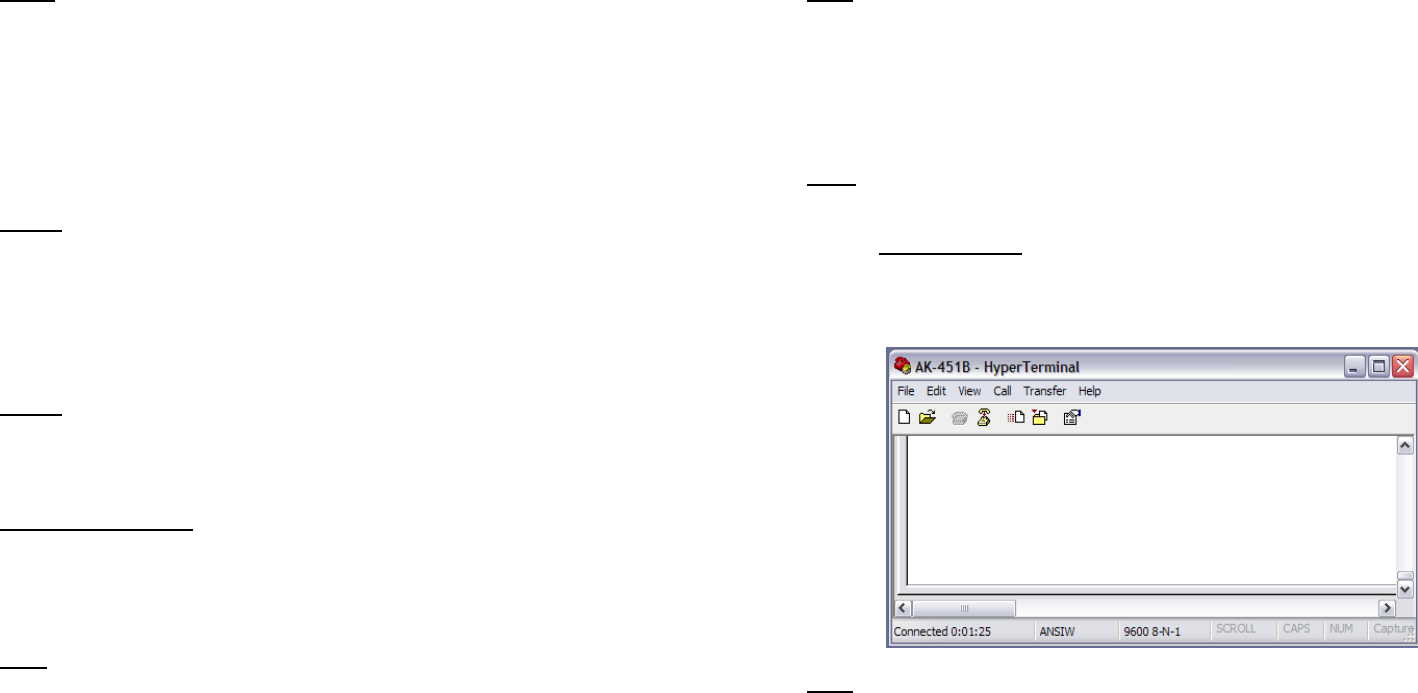
Step1: Double-Click AK451 Icon to run the program. The programming window
appears as below:
Note:
If you don’t see the window above, you may try the other USB port.
Step 2: Set the ELT main switch to “ARM” position.
Step 3: Verify the LED ‘ON’ light illuminates for 4 seconds.
Step 4: At the “:>_” prompt, type: “Password” command then press “Enter” to go to
main menu. Must type this command within next 20 seconds after the
command prompt appears.
Vista de página 13
1 2 ... 9 10 11 12 13 14 15 16 17 18 19 ... 22 23

Comentários a estes Manuais

Sem comentários

AEG L76675WFL manuals

Owner’s manuals and user’s guides for Washing machines AEG L76675WFL.
We providing 2 pdf manuals AEG L76675WFL for download free by document types: User Manual



More products and manuals for Washing machines AEG

Models Document Type
LAV74800 User Manual   Aeg LAV74800 User Manual [et] , 36 pages
LAV76800 User Manual   Aeg LAV76800 Benutzerhandbuch, 36 pages
L16810 User Manual   Aeg L16810 User Manual, 49 pages
L76675FL User Manual   Aeg L76675FL User Manual, 28 pages
LAV50800 User Manual   Aeg LAV50800 User Manual [de] , 40 pages
L89697NFL User Manual   Aeg L89697NFL User Manual, 32 pages
LAV84800UPDATE User Manual   Aeg LAV84800UPDATE Benutzerhandbuch [fr] , 40 pages
F88075IM0P User Manual   Aeg F88075IM0P Manuel utilisateur, 20 pages
LAVW1460 User Manual    Aeg LAVW1460 User Manual, 52 pages
LP2252F User Manual    Aeg LP2252F User Manual, 68 pages
F66720VI1P User Manual    Aeg F66720VI1P Uživatelský manuál, 72 pages
LAV74760 User Manual    Aeg LAV74760 User Manual [nl] , 56 pages
L7648EXFL User Manual   Aeg L7648EXFL Benutzerhandbuch, 36 pages
F55311VI0 User Manual     Aeg F55311VI0 Handleiding, 60 pages
L89498FL User Manual   Aeg L89498FL User Manual, 32 pages
LAV 60600-W User Manual   Aeg LAV 60600-W Benutzerhandbuch, 48 pages
L8FE76695 User Manual   Aeg L8FE76695 Benutzerhandbuch, 48 pages
LAVW1200-WD User Manual   Aeg LAVW1200-WD Benutzerhandbuch, 40 pages
L6046FL User Manual   Aeg L6046FL User Manual [en] , 32 pages
L76478FL User Manual   Aeg L76478FL Benutzerhandbuch, 28 pages